Expiry date reminders
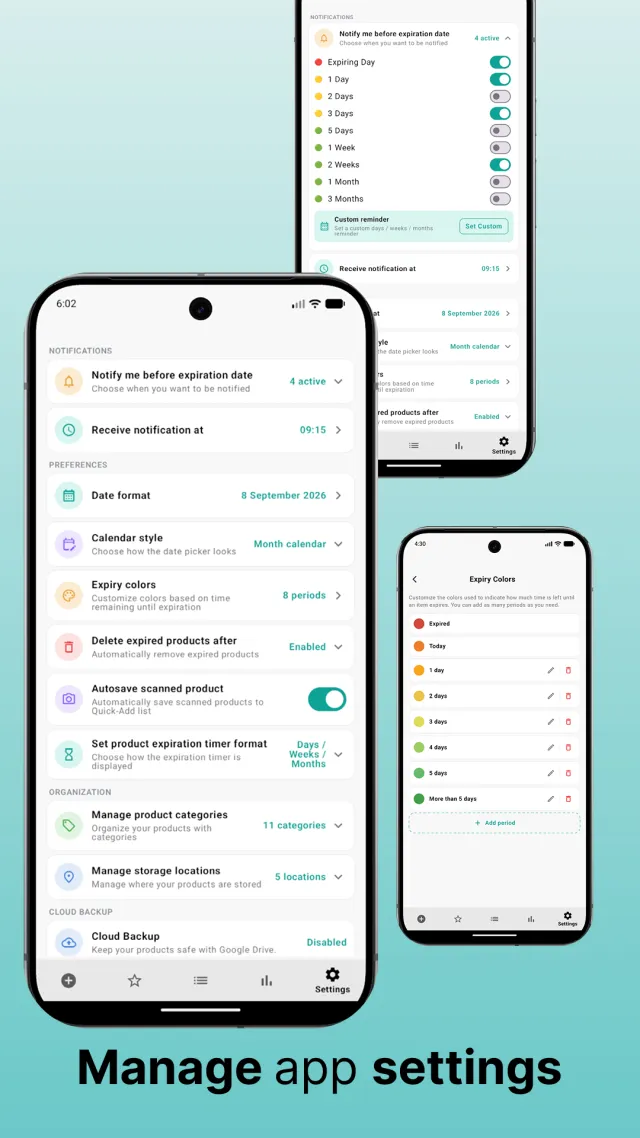
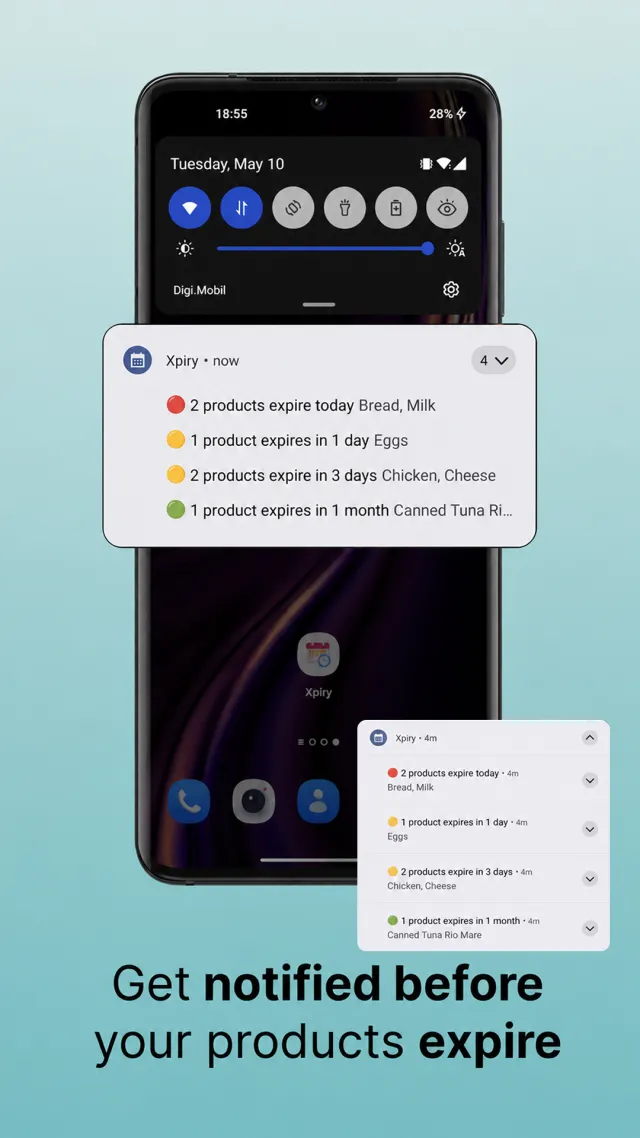
Be warned from 1 day to 3 months ahead — or set your own reminder in days, weeks or months. Pick the hour notifications arrive, and choose which reminders apply per product.
The page doesn’t exist — you’ve been redirected
to the home page.
Xpiry is a customisable expiry date tracker, reminder and inventory app. Scan a barcode, add the expiry date, choose your reminder — then Xpiry keeps track of what you have, where it is, how much is left and when it expires.
Built around one job: knowing what you have, where it is, how much is left and how long it lasts — at home, in a shop or in a pharmacy.
Be warned from 1 day to 3 months ahead — or set your own reminder in days, weeks or months. Pick the hour notifications arrive, and choose which reminders apply per product.
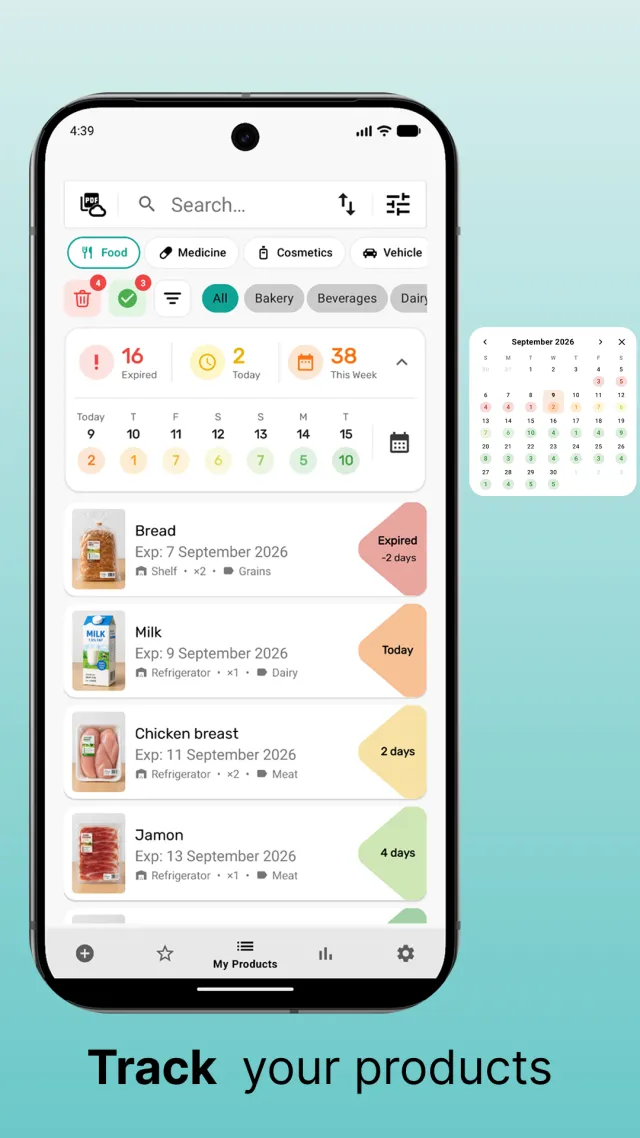
A summary of what has expired, what expires today and what expires this week, a monthly expiry calendar, and a colour scale you define for the time left on every product.
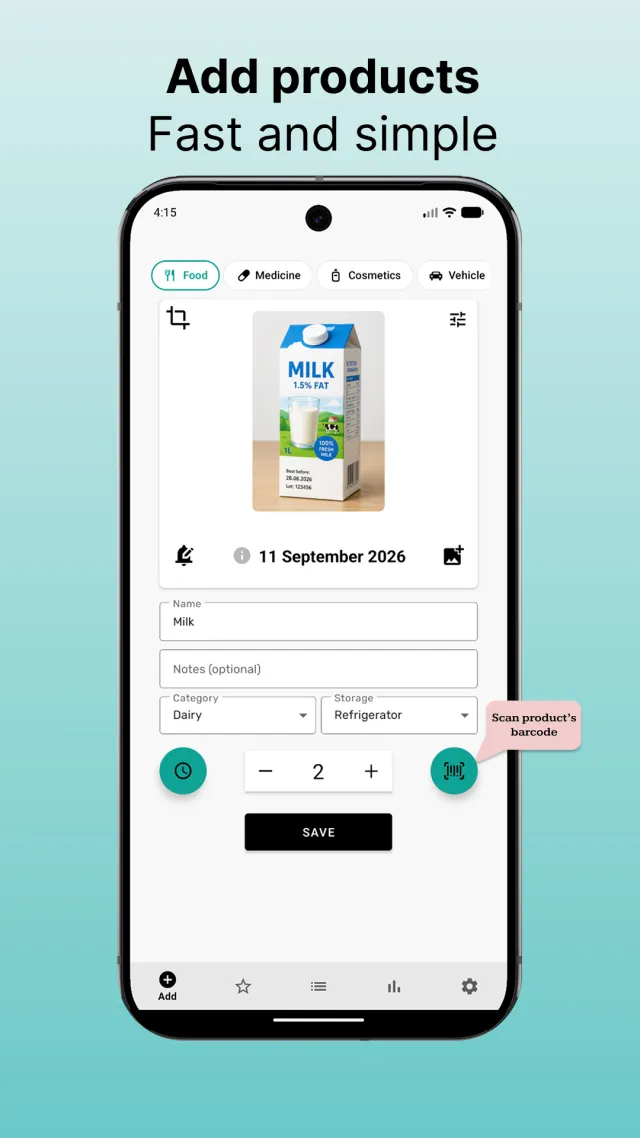
Scan the barcode and Xpiry looks the product up for you. Frequently bought items go to the Quick-Add list, so re-stocking is a single tap.
Name, expiry date, quantity, category, storage location, notes, barcode and photo. Organise stock by shelf, cabinet or storage area and see how much of each item is left.
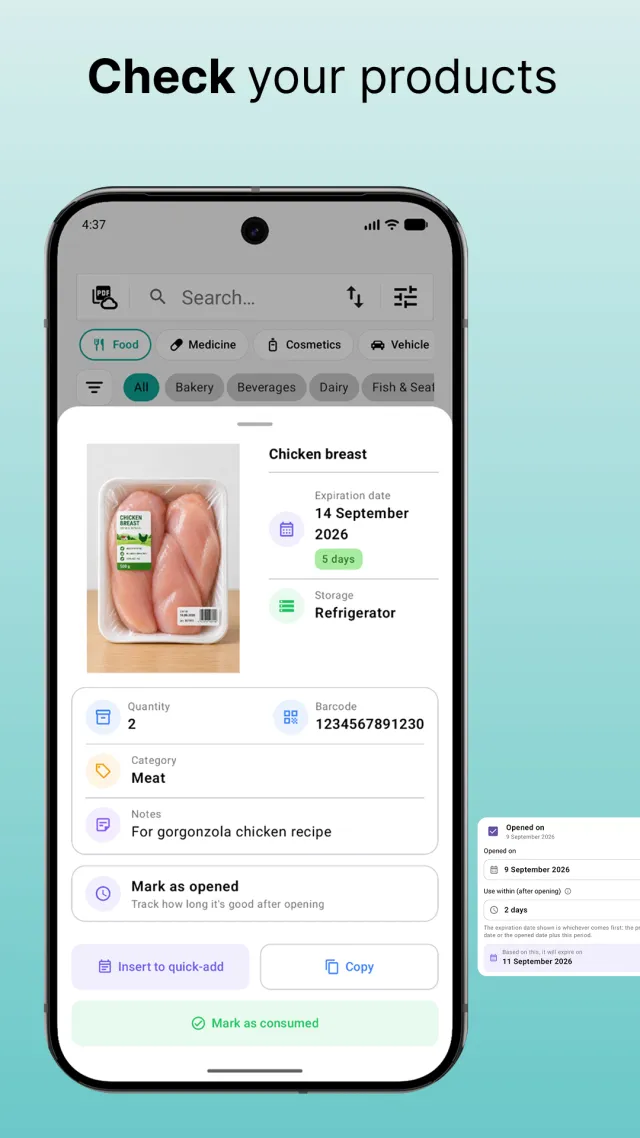
Mark a product as opened and set how long it stays good afterwards. Xpiry tracks whichever date comes first — the printed one or the period after opening.
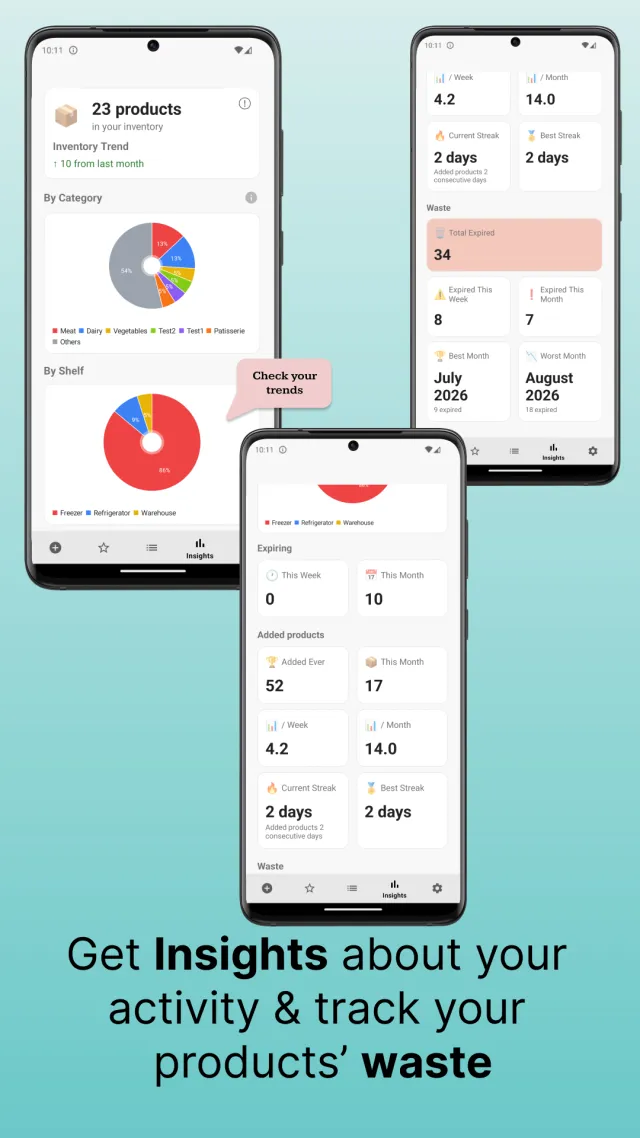
Mark items as consumed — fully or partly. Insights show inventory by category and shelf, what you used in time, what expired, and your waste rate month by month.
Optionally back up products, photos, history and settings to your own Google Drive, and restore your inventory on a new phone.
Import and export your products as CSV or Excel (.xlsx), and generate a PDF inventory report that follows the sorting you are using.
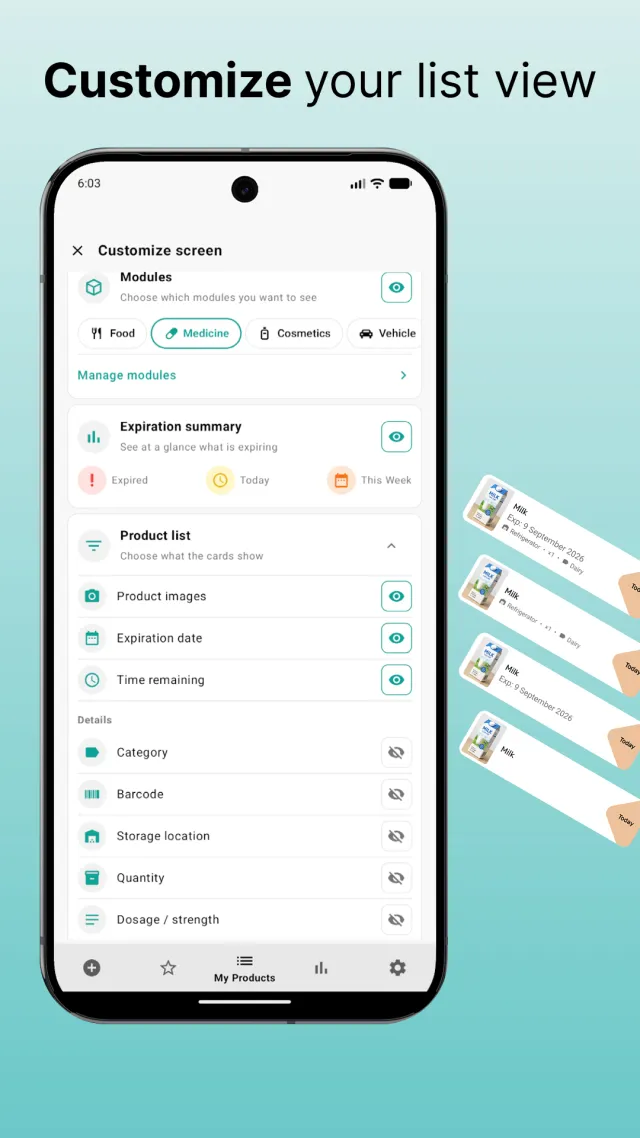
Turn on only the modules you need, create your own categories and storage locations, choose what each product card shows, and set the date format, timer style and theme.
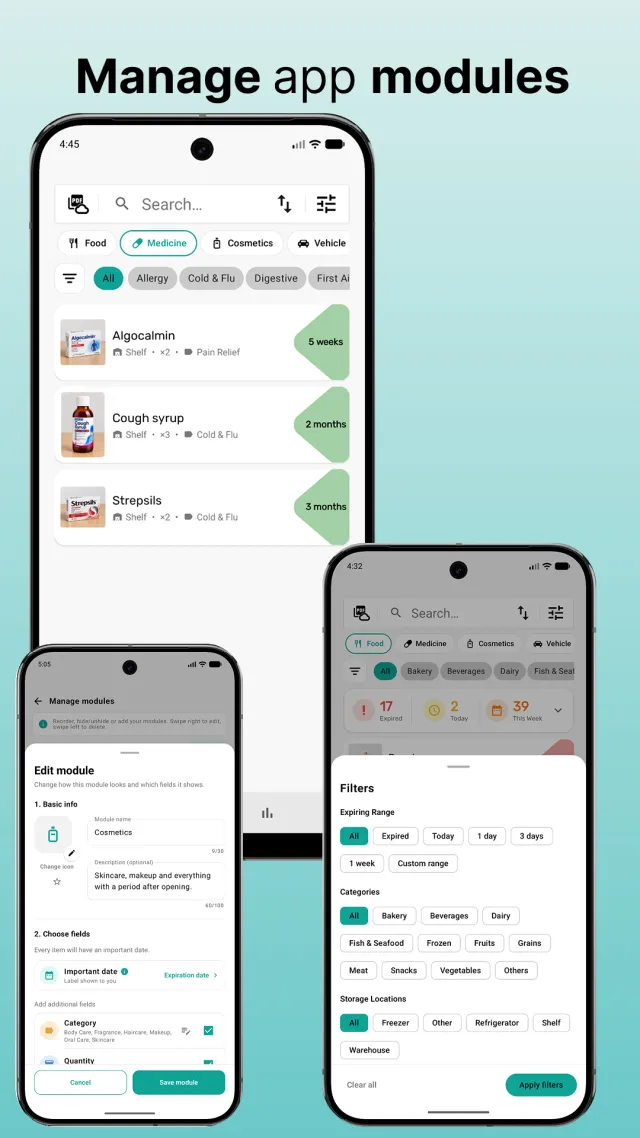
Xpiry groups products into modules. Each one brings the fields that make sense for it and its own date label — use by for food, valid until for documents, renews on for subscriptions.
Groceries and everything with a printed expiry date.
Medicines, supplements and first aid, with dosage and form.
Skincare and makeup, with the period after opening.
Inspections, insurance and services, with model and mileage.
IDs, passports and permits, with the document number.
Renewals and recurring payments, with price and billing cycle.
Scan the barcode or enter the name, then add a photo, category, storage location and quantity. Repeat purchases come back from the Quick-Add list in one tap.
Add the printed date, or mark the product as opened and give it a use-within period. The list stays sorted so the most urgent items are on top.
From 1 day to 3 months ahead, or your own custom period, at the hour that suits you. Xpiry notifies you while there is still time to use the product.
Mark items as consumed, let expired ones be removed automatically after the period you set, and back everything up to your own Google Drive.
Anything with a date on it can live in Xpiry — at home, behind a counter or in a stock room.
Fridge, freezer, pantry and cupboards. Know what to use first and throw less away.
Medicines and first aid with dosage and form, checked long before you need them.
Expiry dates and how many are left, so a course never stops halfway.
Creams, makeup and sunscreen, tracked by the period after opening.
Cleaning supplies, documents, insurance, vehicle papers and subscriptions.
A digital stock register instead of paper: quantities, shelves and expiry dates, with expiring stock spotted before it becomes a loss.
Cloud backup is entirely optional and off until you turn it on. When you do, Xpiry writes your data to your own Google Drive account — not to a server operated by Xpiry.
Xpiry never requests your name, email address or profile from Google — only permission to store its own backup files in your Drive.
Xpiry is free on Google Play. Scan your first products in a couple of minutes and always know what you have, where it is, how much is left and when it expires.